
• Skip to primary navigation
  • Skip to main content
  • Skip to primary sidebar
Jamie Kembel
  • Home
  • News
  • Portfolio
  • Services
  • Contact
  • Code Samples

News

Energize your Business with Kickstart Pro

When you want to start things off with a bang, you need a theme that reflects the energy you bring to your business.

And you need options — lots of options. Because in the early days, information changes on a daily basis. You deserve a theme that adapts as quickly as your business does.

kickstart-pro-theme

Jump-start your business with Kickstart Pro

Meet Kickstart Pro. Whether youÔÇÖre getting a new business off the ground, or want to freshen up your existing business to make it look like a startup, Kickstart Pro is the theme you need.

Kickstart Pro includes these flexible features:

Slider or no slider: itÔÇÖs your choice. Feature a slider on your home page or use a single strong image with text.

Customizable primary color. Quickly try out a new primary color with no coding necessary.

Highlight an article or category. Draw attention to a post — or category of posts — with the Blog Top widget area.

Stylish pricing page. Kickstart Pro’s beautiful built-in pricing table allows you to showcase all your options and plans.

Highlight your location. The Google Map widget area on the Contact page template will show your location if youÔÇÖd like to make it easy for customers to find your bricks-and-mortar business.

Support for full-width background images. Quickly add an image to the top of any regular WordPress page (excluding posts and special page templates).

And of course, Kickstart Pro features everything youÔÇÖre used to in StudioPress themes:

  • A mobile-responsive design that looks amazing wherever itÔÇÖs viewed
  • The best rankings possible because of our clean code and mobile-friendly design
  • Super fast page load times
  • One click theme updates for the Genesis Framework
  • Airtight security so you can rest easy

Take a look at Kickstart Pro here.

This blog was originally posted on Studiopress.com This post is in no way associated with Kembel.ca. For more posts by this author, please click here.

Set the Stage for your Digital Products with Digital Pro

If you own an online-based business, you need to find a way to connect with site visitors without the benefit of a handshake, a shared coffee, or any kind of in-person encounter.

ThatÔÇÖs why your websiteÔÇÖs appearance and content are crucial: itÔÇÖs what your site visitors will use to formulate a first impression about your business.

digital-pro-theme

Digital Pro: a friendly face for an online business

Meet Digital Pro, the newest addition to the StudioPress family of themes.

Digital Pro welcomes site visitors with a friendly style that makes them feel comfortable right away. The clean, easy-to-read typography provides frictionless delivery of your content.

And check out the white space! It gives you plenty of room to feature beautiful photography that draws visitors in.

Of course, the Digital Pro theme features everything youÔÇÖre used to at StudioPress:

  • A mobile-responsive design that looks amazing wherever itÔÇÖs viewed
  • The best rankings possible because of our clean code and mobile-friendly design
  • Super fast page load times
  • One click theme updates for the Genesis Framework
  • Airtight security so you can rest easy

Take a look at Digital Pro here.

This blog was originally posted on Studiopress.com This post is in no way associated with Kembel.ca. For more posts by this author, please click here.

Say Hello to the Jessica Theme: She Means Business

If youÔÇÖre serious about e-commerce, Jessica has some serious power to help your site succeed.

Right out of the box, the Jessica e-commerce theme gives you the choice of using three potent plugins with built-in styles that adapt to each:

  • WooCommerce
  • iThemes Exchange
  • WP e-Commerce

Jessica runs your store (and makes it look great)

You know that operating a booming e-commerce business means managing all the complex behind-the scenes website features that offer your users a seamless buying experience.

Jessica e-commerce Theme

With Jessica on your side, youÔÇÖll be able to:

  • Capture subscribers
  • Utilize sizing tables
  • Field questions with contact forms

The fully-responsive home page allows you to decide which content goes where so you can customize your site to meet your needs. And with Schema support, you can take full advantage of the power of structured data.

Of course, Jessica features everything youÔÇÖre used to in StudioPress themes:

  • A mobile-responsive design that looks amazing wherever itÔÇÖs viewed
  • The best rankings possible because of our clean code and mobile-friendly design
  • Super fast page load times
  • One click theme updates
  • Airtight security so you can rest easy

Click here to a look at Jessica e-commerce theme.

This blog was originally posted on Studiopress.com This post is in no way associated with Kembel.ca. For more posts by this author, please click here.

Genesis 2.2.6 Now Available

We don’t normally publish much about our maintenance releases–usually because they’re to fix bugs or correct regressions introduced in a previous release–but we felt like Genesis 2.2.6 deserves an explanation, especially for those of you who are interested in and enjoy the way Genesis handles Schema.org integration through our markup API.

When we first introduced Schema.org integration in Genesis, we wanted to try to be a specific as we possibly could. For example, if we knew a search results page was being displayed, we would make sure to mark that page as a search results page using microdata.

In that same spirit, we wanted to make sure that blog posts got marked up as a “blogPosting” content type.

But there’s a problem with that. As I’m sure many of you would agree, blog posts aren’t always blog posts. WordPress is so much more than a blogging platform, and even though custom post types exist, many people still use the standard “post” to publish all kinds of different content. Podcasts, image galleries, recipes … the list goes on.

So saying that all posts are “blogPosting”s really isn’t accurate.

But a new problem was brought to our attention recently. Turns out that Google requires anything that you mark up as an “Article” (or sub-types of “Article”, including “blogPosting”) to include some extra elements: an Image and a Publisher, both of which require new objects be added to the entry content output. We even received reports from our users that Google is flagging their content as spam, because they’re detecting a “blogPosting” without associated Image and Publisher objects.

So, rather than force new output in your content, we decided to remedy the original problem while solving the new one.

Instead of considering all post entries as “blogPosting”, we are using the more generic (but still perfectly valid) “CreativeWork”. For what it’s worth, this is what all your published pages were marked up as all along.

“CreativeWork” has fewer required elements, and therefore passes Google’s structured data testing tool.

Getting your “blogPosting” back on

If you know that you’re using post entries as blog posts, you might be wondering how you can switch back to using the “blogPosting” schema markup. Totally understandable, and totally possible.

Just know that if you do this, you’re going to need to make sure your blog posts have featured images, and you’re going to have to provide publisher information. You’re also going to need to write a little code. But fear not! Here’s some code that will get you started, with inline comments that will help explain things. Just paste the code in your child theme’s functions.php file, and fill in the blanks.

The other stuff

While we have you here, here are the other things we fixed in this release.

First, WordPress 4.4 compatibility.

WordPress 4.4 was released recently, and they added a really cool, and finally official, way of storing meta data for terms. For those who don’t know, terms are things like your categories and tags.

For years now, Genesis has relied on a fairly clunky way of doing term meta storage, so we’re happy a much better official offering has been introduced. Genesis 2.2.6 switches everything over to the new official term meta system, converting all the old data over to the new system.

Second, we’re including and using our own html5shiv file.

Certain older browsers had trouble recognizing the new HTML5 elements that we use in Genesis. And if they don’t recognize them, they don’t render them properly. So we included a call to something called the html5shiv javascript file in Genesis, but only served it to people using older browsers. The file we referenced was hosted at Google Code, but that service is no longer offered, so they’re taking down all the code hosted there.

So, instead of linking to the file hosted at Google Code, we pulled the file (it’s open source) into Genesis and link to that copy instead. An easy, but necessary, fix.

So that’s it. 2.2.6 is available now, and you can update from your dashboard.

This blog was originally posted on Studiopress.com This post is in no way associated with Kembel.ca. For more posts by this author, please click here.

No Sidebar Pro: A Minimalist Theme with Maximum Impact

You prefer your rooms bright and well lit. And you prefer your content uncluttered and easy to read. YouÔÇÖre an authority in your field, and you have the guts to claim your status with a site thatÔÇÖs devoted to sharing your thoughts, your knowledge, and your information.

You donÔÇÖt need a sidebar. YouÔÇÖre ready to take the full stage with your content, and offer your readers a clutter-free place to absorb and enjoy it.

No Sidebar Pro Theme

No Sidebar: delivering an uncluttered experience

Meet No Sidebar Pro, the newest addition to the StudioPress family of themes, and a one that gives you a clean platform where you can share your insights.

No Sidebar Pro was inspired by the design that StudioPress founder Brian Gardner created for his blog on minimalism and simple living, No Sidebar.

YouÔÇÖll love the edge-to-edge photography style. Your readers will love the ample white space that surrounds your words. Of course, No Sidebar Pro features everything youÔÇÖre used to in StudioPress themes:

  • A mobile-responsive design that looks amazing wherever itÔÇÖs viewed
  • Support, documentation, and the StudioPress community forum
  • The best rankings because of clean code and mobile-friendly design
  • Super fast page load times
  • One click Genesis framework updates
  • Airtight security so you can rest easy

Ready to make your site a respite from the rest of the web?

Check out the No Sidebar Pro theme demo here.

This blog was originally posted on Studiopress.com This post is in no way associated with Kembel.ca. For more posts by this author, please click here.
Simply: A Trendy, Minimalist Pro Theme for Your Blog

I am proud to introduce Simply Pro, a beautiful 3rd party Genesis theme designed by the very talented Kelsey Grauke over at Bloom Blog Shop. With it’s simple, minimal style, your content will look amazing.

simply-screenshots

Simply Pro: a theme that showcases beauty

Simply Pro embodies minimal design, and puts the emphasis on your content and your images. Go ahead, display your latest Instagram shots, if you wish!

Simply Pro allows you to customize your site — with controls in the Theme Customizer to style the colors of your text, links, buttons and footer.

Other great features include a responsive styled slider, floating social media icons, minimal share buttons, the ability to upload your own logo or simply type your blog name in. ItÔÇÖs also responsive and looks great on any device.

Click here to see the Simply Pro theme in action.

*Note — Simply Pro is a 3rd Party theme, which means it’s freely available to all Pro Plus members. Check the Downloads page at My StudioPress for access.

This blog was originally posted on Studiopress.com This post is in no way associated with Kembel.ca. For more posts by this author, please click here.

Atmosphere Pro: A Minimalist Theme for Your Business

Look around you right now. What do you see? You scan from side to side, taking in everything. Life is full of beautiful details. ShouldnÔÇÖt your theme be, too?

Meet Atmosphere Pro, the newest addition to the StudioPress family — and a theme personally designed for you by our founder Brian Gardner.

atmosphere-screenshots

Atmosphere Pro: a theme that looks beyond

Atmosphere Pro takes site visitors on a trip through beautiful, open spaces.

TheyÔÇÖll want to spend time with Atmosphere ProÔÇÖs serene layouts and spacious pages. They invite visitors to stop by and stay a while.

And youÔÇÖll love how Atmosphere Pro puts your words and images at the forefront in an uncluttered design that shows them at their finest.

Of course, Atmosphere Pro features everything youÔÇÖre used to in StudioPress themes:

  • A mobile-responsive design that looks amazing wherever itÔÇÖs viewed
  • Support, documentation, and the StudioPress community forum
  • The best rankings possible because of clean code and mobile-friendly design
  • Super fast page load times
  • One click Genesis framework updates
  • Airtight security so you can rest easy

Take a look at Atmosphere Pro live demo here.

This blog was originally posted on Studiopress.com This post is in no way associated with Kembel.ca. For more posts by this author, please click here.

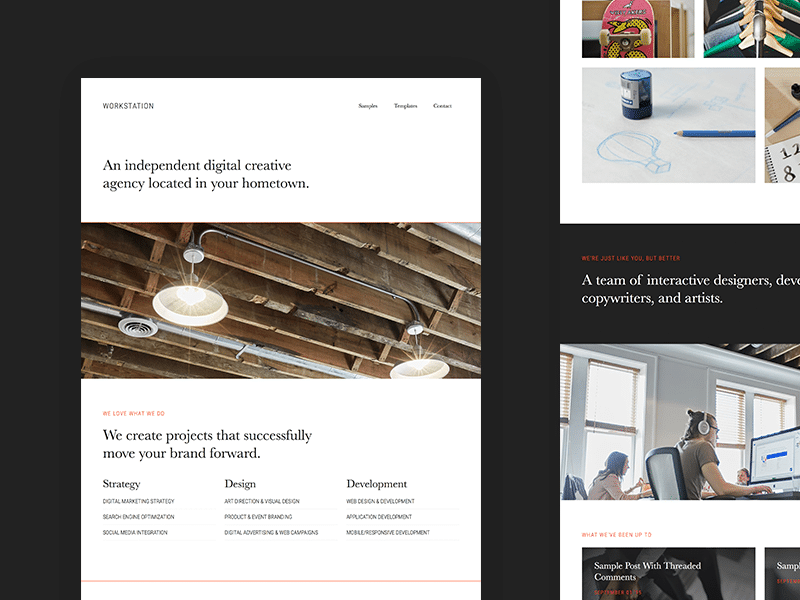
Invite Visitors to Your Creative World with Workstation Pro

You appreciate the finer things in life.

As a matter of fact, you consider your aesthetic sense to be one of the most important ÔÇö and valuable ÔÇö aspects of your personality.

ItÔÇÖs why you find yourself in a creative career ÔÇö because you have a vision to offer the world. And others are more than happy to pay you for your expertise, your artistic sense, and your skills. They know that youÔÇÖll help them realize their dreams.

Workstation-Pro-Theme

Workstation Pro: where people enter your creative space

Meet Workstation Pro, the newest addition to the StudioPress family of child themes.

Workstation Pro is designed to allow creative people like you to showcase their best work. ItÔÇÖs a place where you can let prospects and clients into your world so they can get a taste of what you offer.

It combines classic and modern typography in one place, and features a neutral color palette with a pop of color that draws attention.

With the release of Genesis 2.2, significant work has gone into making the framework accessible for users with disabilities. The Workstation Pro theme comes accessibility ready and features an accessible Genesis responsive menu based on the work of Robin Cornett, Rian Rieltveld, Gary Jones, Brad Potter, Marcy Diaz and Jen Baumann.

With this theme, youÔÇÖll find plenty of places to feature images that tell the story of your work. And plenty of space to share a behind-the-scenes look at your process.

Take Workstation Pro for a spin. Go to the demo.

This blog was originally posted on Studiopress.com This post is in no way associated with Kembel.ca. For more posts by this author, please click here.

Genesis 2.2 Now Available

Ever since the release of Genesis 2.0 and the introduction of the HTML5 markup structure, we’ve been extremely happy with the maturity and stability of the framework. Very few bugs have come up, and we continue to grow the Genesis developer and user community by extraordinary numbers every month.

3300+ members of an unofficial, community run #GenesisWP Facebook group. That amazes me.

— Nathan Rice (@nathanrice) July 31, 2015

But that doesn’t mean we’re standing still.

Genesis 2.2 is a huge leap forward for the framework, and I’m happy to report that it’s available NOW as an upgrade in your dashboard.

Click here to view the Genesis 2.2 changelog.

Accessibility

One of the struggles of the modern web designer or developer is trying to create a beautiful, functional web, while at the same time not making the web less usable for people with disabilities. This is, as you might imagine, a difficult job.

So we brought in an expert to help us.

Rian Rietveld, creator of the Genesis Accessible plugin and the Leiden child theme, graciously committed to making Genesis 2.2 a powerhouse of A11y compliance, and she followed through with that commitment, creating an easy to work with and easy to enable system for making child themes WCAG 2.0 compliant, as well as making recommendations and providing us with tools to make our future child themes compliant as well.

She also wrote out detailed instructions for enabling and working with all the new A11y features in Genesis 2.2.

Schema.org Microdata Improvements

As the web evolves, we want to make sure we take notice and allow Genesis to evolve with it. As you know, Genesis is one of the few WordPress themes that fully utilizes Schema.org microdata and HTML5 in our markup. But there are always improvements to be made, and we’ve continued to watch the changing recommendations and adapt as necessary.

And the great thing is, you don’t have to do a thing. Just upgrade, and the improvements go live.

Entry Meta

In the past, if you registered a public Custom Post Type, the display of that CPT entry meta on the front end was inconsistent and difficult to remove. We’ve fixed that.

Now, if you want to remove entry meta from a public CPT, you simply remove post type support for the entry meta that would normally display before and after entry content.

<?php
add_action( 'init', 'sample_remove_entry_meta', 11 );
/**
 * Remove entry meta for post types
 * 
 * @link https://gist.github.com/nathanrice/03a5871e5e5a27f22747
 */
function sample_remove_entry_meta() {

	remove_post_type_support( 'post-type', 'genesis-entry-meta-before-content' );
	remove_post_type_support( 'post-type', 'genesis-entry-meta-after-content' );

}

Title Tag Support

As of WordPress 4.1, title tags can now be automatically output rather than manually output by a theme. If a child theme chooses to do this, Genesis 2.2 will now defer to the generated title tag, rather than invoking any functions directly.

Site Icon Support

WordPress 4.3 introduced a site icon (AKA favicon) uploader capability. You can find the feature in the Customizer > Site Identity panel.

Normally, Genesis searches for favicon files in various locations, but in Genesis 2.2, we now look for the WordPress favicon first, then fall back to searching for files directly in theme folders if necessary.

And of course, there’s the usual enhancements and bug fixes that go into any release.

Special Thanks

A LOT of people helped create this release, and I’d like to say a special thanks to them all.

Rian Rietveld, for providing the expertise and code to allow Genesis to be accessible to all web users.

Carlo Manf and Sal Ferrarello for providing quality feedback and pull requests on a consistent basis.

Gary Jones for his genuine passion for excellence and commitment to the Genesis community. His input is invaluable to me.

Nick Cernis and Jen Baumann for finding problems, and just as often providing solutions to those problems.

And of course, our other contributors for the 2.2 cycle, Travis Smith, Greg Rickaby, Brian Bourn, Robin Cornett, Bill Erickson, Carrie Dils, and Josh Eaton.

This blog was originally posted on Studiopress.com This post is in no way associated with Kembel.ca. For more posts by this author, please click here.

Genesis 2.2 Beta

I’m very happy to announce that the public beta for Genesis 2.2 is available now!

If you’re not already running the Genesis Beta Tester plugin, go ahead and install/activate it on your site. When you do, you should see the update notification in your dashboard. While you’re at it, head over to Github and download the Genesis sample child theme.

Thanks to the hard work (and extensive knowledge) of Rian Rietveld, Genesis 2.2 will have the most extensive focus on Accessibility of any prior release. Things like better color contrast, keyboard navigation, and better screen reader support make make Genesis 2.2 more usable for your visitors with disabilities.

But as with any feature that changes front end output, we’ve made this opt-in, so that your site doesn’t break when you upgrade. Here’s how to enable it in your child theme.

First, you’ll need to add the theme support for the accessibility features.

//* Add Accessibility support
add_theme_support( 'genesis-accessibility', array( 'headings', 'drop-down-menu',  'search-form', 'skip-links' ) );

(In the future, we may add new accessibility features, but for now, these are the four areas we’ve focused on.)

When you enable the accessibility features in your child theme, it will output special elements in your site’s markup to help disabled visitors navigate your site. But you don’t want these elements to be visible to your entire audience. So we’ll need some special CSS that will deliver these elements to the users who need them, but not to the ones who don’t.

/* ## Screen reader text
--------------------------------------------- */

.screen-reader-text,
.screen-reader-text span,
.screen-reader-shortcut {
	position: absolute !important;
	clip: rect(0, 0, 0, 0);
	height: 1px;
	width: 1px;
	border: 0;
	overflow: hidden;
	color: #333;
	background: #fff;
}

.screen-reader-text:focus,
.screen-reader-shortcut:focus,
.genesis-nav-menu .search input[type="submit"]:focus,
.widget_search input[type="submit"]:focus  {
	clip: auto !important;
	height: auto;
	width: auto;
	display: block;
	font-size: 1em;
	font-weight: bold;
	padding: 15px 23px 14px;
	z-index: 100000; /* Above WP toolbar. */
	text-decoration: none;
	box-shadow: 0 0 2px 2px rgba(0,0,0,.6);
}

.more-link {
    position: relative;
}

/* # Skip Links
---------------------------------------------------------------------------------------------------- */
.genesis-skip-link li {
	height: 0;
	width: 0;
	list-style: none;
}

/* ## Accessible Menu
--------------------------------------------- */

.menu .menu-item:focus {
	position: static;
}

.menu .menu-item &gt; a:focus + ul.sub-menu,
.menu .menu-item.sfHover &gt; ul.sub-menu {
	left: auto;
	opacity: 1;
}

It may also be a good idea to do things like adding REM support, better color contrast, etc. You can see all the things we changed in the sample child theme by viewing this diff on Github.

That’s Not All

As usual, we have more than one new thing to talk about in a major release. We’ve also added compatibility code for WordPress 4.2, better compatibility with Schema.org, a database upgrade method for WP-CLI, and a lot more.

We’re very interested in having lots of feedback during this beta period, so if you notice anything during your use of the beta, please shoot us a note via the help form.

This blog was originally posted on Studiopress.com This post is in no way associated with Kembel.ca. For more posts by this author, please click here.

« Previous Page
Next Page »

Primary Sidebar